Built in Calgary. Works globally.
Scopewright helps renovation contractors turn a site walk into a priced estimate in minutes.
Quote the same day, not next weekend. Snap photos and talk through the job on your phone, get an itemized quote priced from your rates, check it, and send a proposal your client can accept online.
Your first estimate is free, no card needed. After that, 7 days free (not charged until day 8). Then $59/month (get 2 months free yearly); cancel in one click.
Estimate · Draft
Sandhu — basement development
Illustrative numbers from placeholder example rates
Try it now · no account needed
Get a sample bathroom estimate in 10 seconds
Change the size and finish. Then sign up free to turn it into a real itemized estimate from your own rates. Your first one is free, no card.
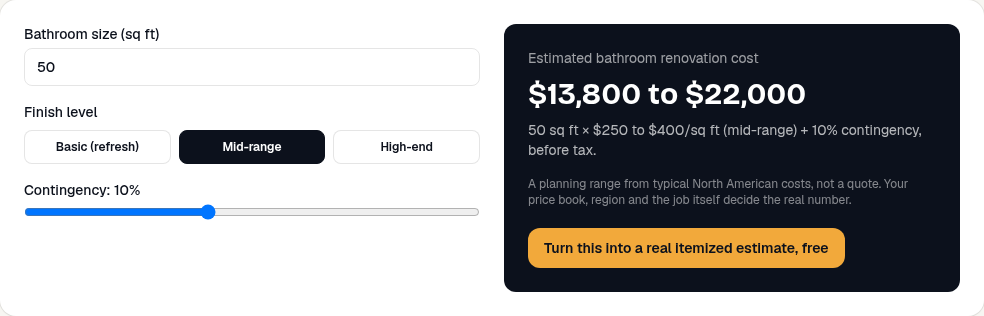
Estimated bathroom renovation cost
$13,800 to $22,000
50 sq ft × $250 to $400/sq ft (mid-range) + 10% contingency, before tax.
A planning range from typical North American costs, not a quote. Your price book, region and the job itself decide the real number.
Turn this into a real itemized estimate, freeHow it works
Walk the job with your phone
Take a few photos, record a quick voice note as you talk through the job, and type in the room sizes. About 10 minutes on site.
Check the draft estimate
Scopewright lists every task and material and prices each line from your own rates. Anything it's unsure about is highlighted for you to check.
Send it and get the yes
Send a branded PDF or a link. Your client picks Good, Better or Best and accepts online. Nothing is sent until you click.
Example result
Basement development, 40 × 26 ft
- You give it: 3 photos, a 48-second voice note (“new bathroom, two bedrooms, bulkhead around the main duct”) and the room size.
- You get: an itemized estimate (framing, insulation, drywall, bathroom, permits) priced from your rates, with Good / Better / Best totals.
- You check: the 2 lines it flagged, like the bulkhead length it estimated from the photos.
- Your client gets: a branded proposal they can accept online that evening.
Illustrative example with placeholder rates. Your numbers come from your own price book.

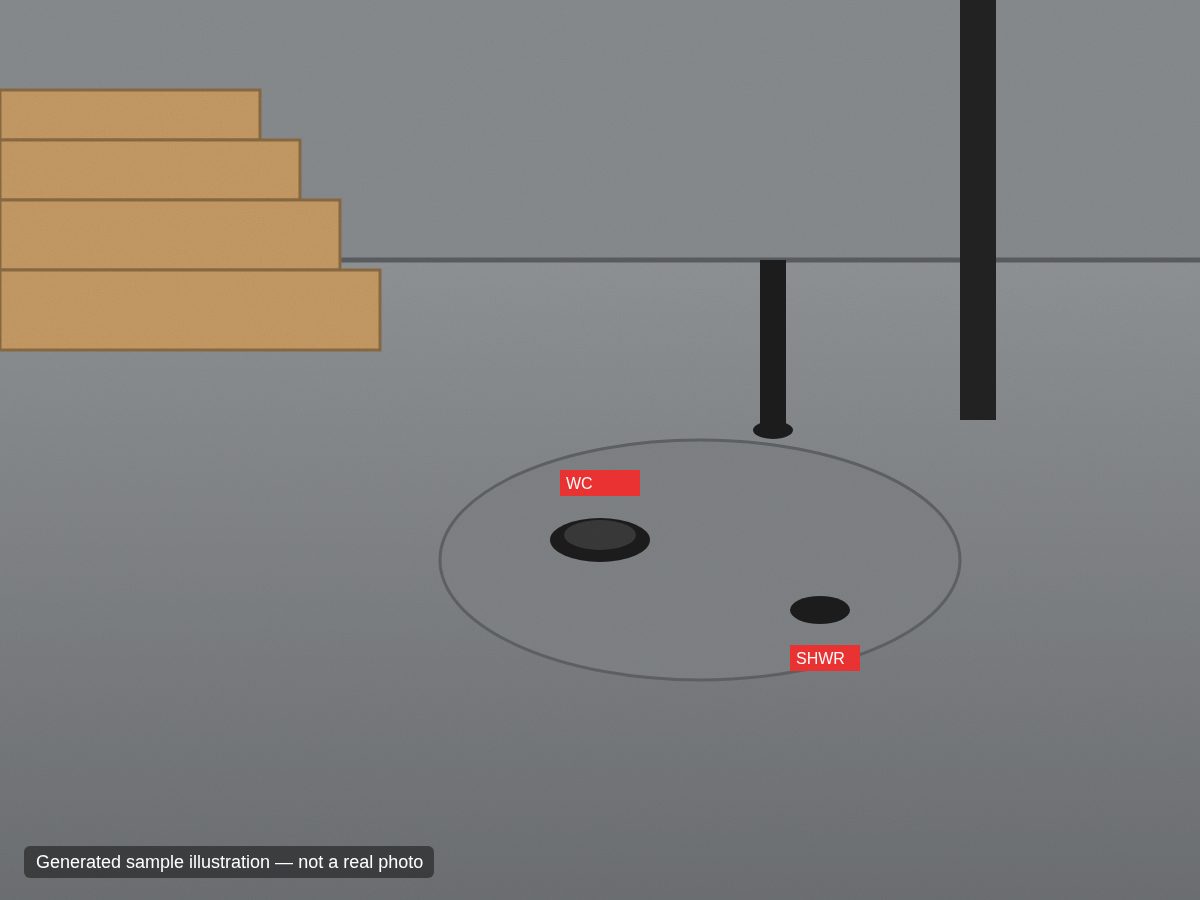
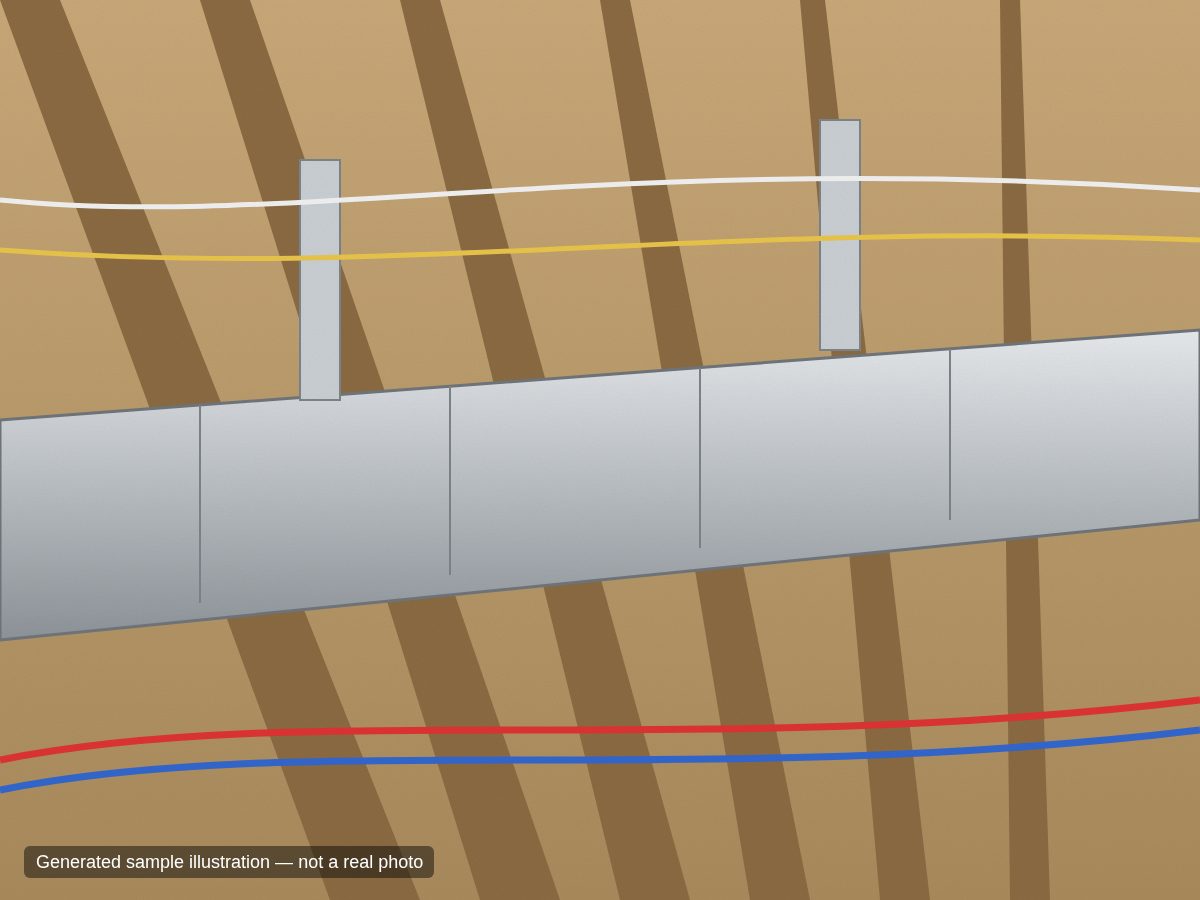
↓ becomes ↓
Draft estimate · ready to check
2 lines to checkYour price book, your numbers
Materials, waste factors, labour hours × your rate, markup, contingency and your own tax rate (GST, HST, VAT or US sales tax, set in settings). An optional Alberta basement & bath starter list is included — rates are yours to fill in.
Measurement math done for you
Wall areas from perimeter × ceiling height, openings deducted, partitions, baseboard and paint areas — every quantity shows how it was derived.
Good / Better / Best
Laminate vs. LVP vs. premium subfloor, acrylic kit vs. tiled shower, heated floors — each option shows a likely price with a low–high range.
Client accept link
Homeowners pick an option, type their name and accept. The job moves to Accepted in your pipeline automatically.
Simple pipeline
Draft → Sent → Accepted or Lost. See what's waiting on you and what's waiting on the client.
Built for review, not autopilot
Draft banner on every estimate. Flagged lines must be ticked before sending. Placeholder rates are stamped on the proposal.
Accuracy is the whole job. So you stay in charge.
AI can miss a hidden rough-in or misjudge a wall from a photo. Scopewright is designed around that: it drafts, you decide.
- Every estimate is a draft for you to review: it carries a “Draft estimate — for your review” banner, and the client copy carries an estimate notice.
- Each line shows how its quantity was derived and a confidence level; guesses are flagged in red.
- AI quantities that disagree with your measured geometry by more than 30% are flagged automatically.
- Prices only ever come from your price book — the AI never invents a dollar figure.
- Nothing reaches a homeowner until you tick every flagged line and click “Create client link”.
Permits are on every basement estimate
Permit fees are included as pass-through lines (no markup) for you to fill in with your municipality’s actual fees, wherever you work. Two examples from the Alberta starter list:
Edmonton: the City requires permits to finish a basement or build a bedroom or bathroom; most projects need a development permit and a building permit, with separate permits for heating/ventilation, plumbing, gas and electrical work. edmonton.ca
Calgary: a building permit is required to develop a basement for the first time, for structural changes or new openings, with separate electrical and plumbing permits. calgary.ca
Summaries of the official City pages as read in September 2026. Always confirm current requirements and fees with the municipality.
Why it works
- Your prices, not a guess. Every line is priced from your own price book, so the estimate matches how you actually charge.
- You quote while the job is fresh. Capture the walk-through on your phone and send the proposal the same day instead of typing it up at night.
- Clients can say yes on the spot. They get a link with Good/Better/Best options and accept online.
What you pay
$59/month
or $590/year (2 months free)
- ✓ First estimate free, no card
- ✓ Then 7 days free; you're not charged until day 8
- ✓ Phone job capture with photos and voice notes
- ✓ Itemized estimates from your own price book
- ✓ Good/Better/Best proposals clients accept online
- ✓ Cancel in one click. Paying yearly? Full refund if you ask within 30 days of your first yearly payment.
Start with Pro
Win one extra basement a year and it’s paid for itself many times over. Your first estimate is free with no card, then try everything free for 7 days.
Want e-signatures and deposits paid to your bank too? See Close on the pricing page.
Scopewright Pro
Recommended for mostEverything you need to estimate and send proposals.
7 days free, then $59/mo. First estimate free with no card; then add a card for the trial, not charged until day 8. We email you 2 days before; cancel in one click and you pay nothing.
+ sales tax where applicable · cancel anytime
- Unlimited jobs, estimates and proposals
- Capture a job on your phone: photos, voice note, room sizes
- A draft estimate in minutes, with anything uncertain flagged for you
- Priced from your own rates (or one-click example prices to start)
- Good / Better / Best options for every job
- Branded PDF proposals and an online accept link for your client
- See every job at a glance: draft, sent, accepted or lost
- 1 user included; add teammates any time for a small monthly fee per seat
Questions
What does Scopewright do, in plain words?+
You walk a renovation job with your phone (photos, a voice note, room sizes). Scopewright turns that into an itemized estimate priced from your own rates, flags anything it's unsure about, and lets you send a branded proposal your client can accept online.
How does the free trial work, and when am I charged?+
Your first estimate is free with no card. When you want more, you get 7 days free: you add a card with Stripe then, and you won't be charged until day 8 (then Pro's monthly price in your currency, shown on the pricing page, or get 2 months free yearly). We email you 2 days before the first charge, and you can cancel in one click on the Billing page before then and pay nothing. One free trial per company. Close and Close Plus work the same way.
Do I have to fill in all my prices before I can try it?+
No. On your first day you can load clearly-labelled example prices in one click and draft a real estimate straight away. Replace them with your own rates when you're ready; until then, every proposal that uses them says so.
Does the AI set my prices?+
No. The AI (or, without an AI key, the built-in rules) only proposes line items and quantities from your photos, voice note and measurements. Every dollar comes from your own price book: material cost × waste factor plus labour hours × your rate, then your markup, contingency and your tax rate (5% GST by default for the Alberta starter; set GST/HST, VAT or US sales tax in settings).
How accurate are the estimates?+
Treat every estimate as a first draft. Scopewright shows how each quantity was derived, lists its assumptions, and flags low-confidence lines (guessed partition lengths, hidden rough-in, moisture, HVAC capacity). You can't create a client link until you've ticked every flagged line as reviewed.
Will it ever send something to my client on its own?+
Never. Nothing is emailed. A client link only exists after you click “Create client link” and confirm you've reviewed the estimate. You send the link yourself, and you can disable it at any time.
Are the starter prices real?+
No. New accounts start with a starter list of basement and bathroom items (the Alberta starter list today) with the rates left blank for you to fill in. You can optionally load placeholder example numbers to try the app — they're stamped “Placeholder” everywhere and a proposal that still uses them says so in red.
What about permits?+
Permit fees are separate pass-through lines that you fill in with your municipality's actual fees. Two Alberta examples: the City of Edmonton requires permits to finish a basement (most projects need a development permit and a building permit, plus separate trade permits), and the City of Calgary requires a building permit to develop a basement for the first time, plus separate electrical and plumbing permits.
Which areas and trades does it support?+
Scopewright is built in Calgary and works for renovation contractors anywhere: your price book, labour rates and tax rate are your own. It's tuned for basement development and bathroom renovations, and an Alberta starter price book is available as one starting option. You can add your own price-book items for any other trade or region.
How do I cancel?+
Sign in, open “Account” in the menu, press “Cancel subscription” and confirm. It takes about a minute, with no phone call or form. Can't sign in? Go to scopewright.aoapps.io/cancel and we'll email you a one-time link that opens your Billing page.
How to cancel →